
Bonus Tips to Level Up Your Film-Style Workflow
You’ve got the look. Now here are a few extra tools I use to take things just a little further, whether it’s adding extra detail to your edits or keeping your growing collection of photos beautifully organized.
Add Light Leaks
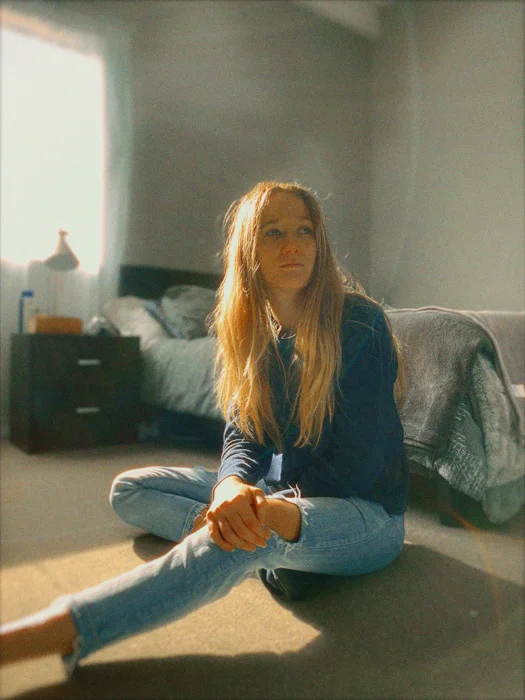
A subtle light leak can give your film-style photo that final nostalgic touch, like the sun slipped past the edge of the lens or a roll of film was just a little overexposed.
To do this, I use a free app called Hypic.
Here’s how:
-
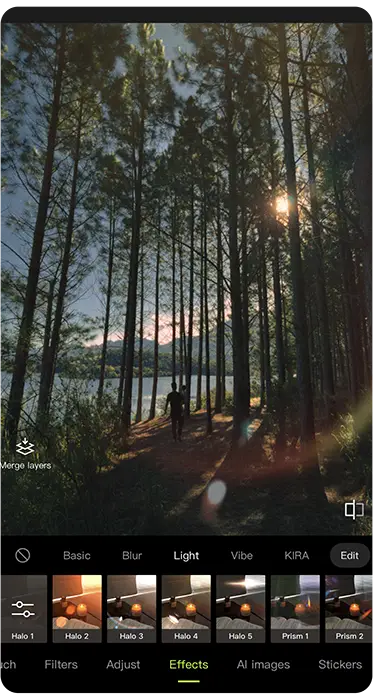
Open your final edited photo in Hypic
-
Tap the Effects tab, then go to Light
-
Browse through the available light leaks. I usually use the Halos collection
-
Adjust the intensity to blend it naturally into the image
Less is more. A well-placed light leak can enhance the mood without taking over the shot.
Add Film Borders
Sometimes a frame makes all the difference. Adding a subtle film border can give your image a printed, archival look, like something scanned from a box of old prints.
I use another free app called Snapseed to do this:
1. Open your image in Snapseed
2. Go to Tools → tap Frames (under the Creative tab)
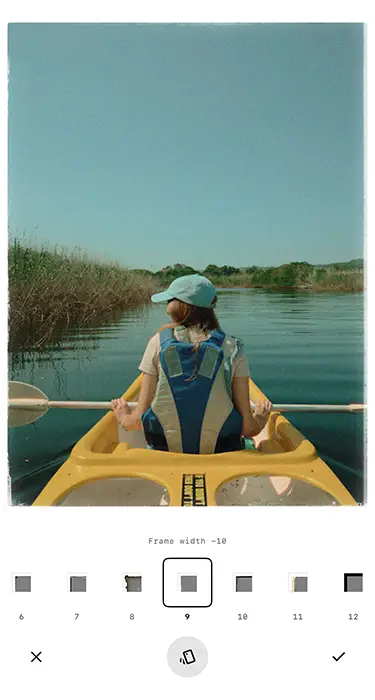
3. Scroll through the preset options, my favourite is Frame 9
4. Use the frame width slider to adjust the size of the border
You can keep it subtle or go full vintage. Either way, it adds a nice finishing touch to the image.
Stay Organized
Once you start shooting and editing with this Pocketfilm method, your camera roll is going to fill up fast, trust me.
The default iPhone Photos app doesn’t do much to help you stay organized, so I’ve switched to a free gallery app called HashPhotos as my default image viewer. It looks and feels like the native app, but gives you way more control.
Here’s how I use it:
• File type icons: Instantly see if an image is a RAW, JPEG, HEIC, etc., just by looking at the gallery view
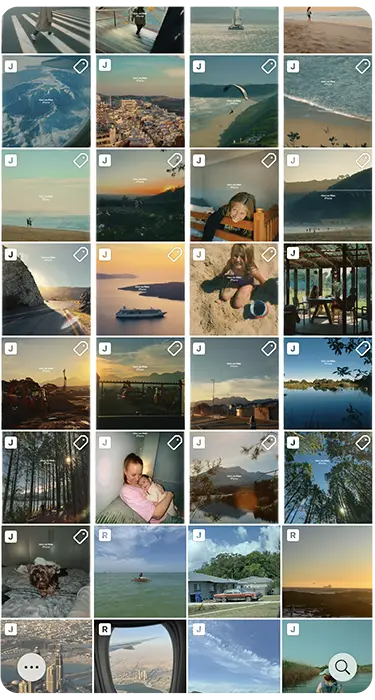
• Tagging system: I tag photos that need editing, that need to be backed up to Google Drive, or that I haven’t yet posted to Instagram
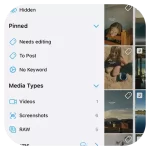
• Smart albums: Create custom folders and sort images by project, vibe, or any workflow you want
It’s one of the most powerful (and underrated) tools I’ve found for mobile photo organization, and it’s completely changed how I manage my library.

You Made It To The End
Thank you for taking the time to explore the Pocketfilm guide. I hope you found something useful, inspiring, or even just a nudge to start capturing the everyday moments that matter. If this guide helped you in any way, I’d love for you to share it with others who might enjoy the film-style approach too.
Most of all, keep shooting, and if you create something you’re proud of, feel free to share it with me. I’d genuinely love to see it. If you have any feedback, questions, or ideas to improve this guide, don’t hesitate to reach out: hello@justingovender.com
Support the Guide
Pocketfilm is a free resource made purely out of a love for photography and creativity. If it’s helped you in any way, sparked a new idea, improved your iPhone shots, or simply brought back that nostalgic film feeling, and you’d like to say thanks, you can leave a small tip. It helps cover the time and tools that go into creating guides like this (and maybe the occasional coffee too).
No pressure. No subscriptions. Just a little creative fuel if you feel like it.
If you’re enjoying this guide, there’s more on the way.
I’m currently working on a new resource that dives into how to capture film-style video on your phone, cinematic, moody, and full of character. Think grainy slow-motion, nostalgic lighting, and handheld moments that feel like scenes from a movie.
Sign up below and I’ll send you an email when it’s ready (along with any other free tools, tips, or updates I think you’ll love).
No spam. Just honest, helpful stuff, when it’s worth sharing.
Follow @pocketfilm.gram on Instagram for more film-style inspiration.